
How to Resize Signature to 10KB for Government Forms (Complete Guide)
If you’re filling out a government application, competitive exam form, banking application, scholarship registration, Aadhaar service request, or university admission form, you’ve probably encountered strict signature upload requirements.
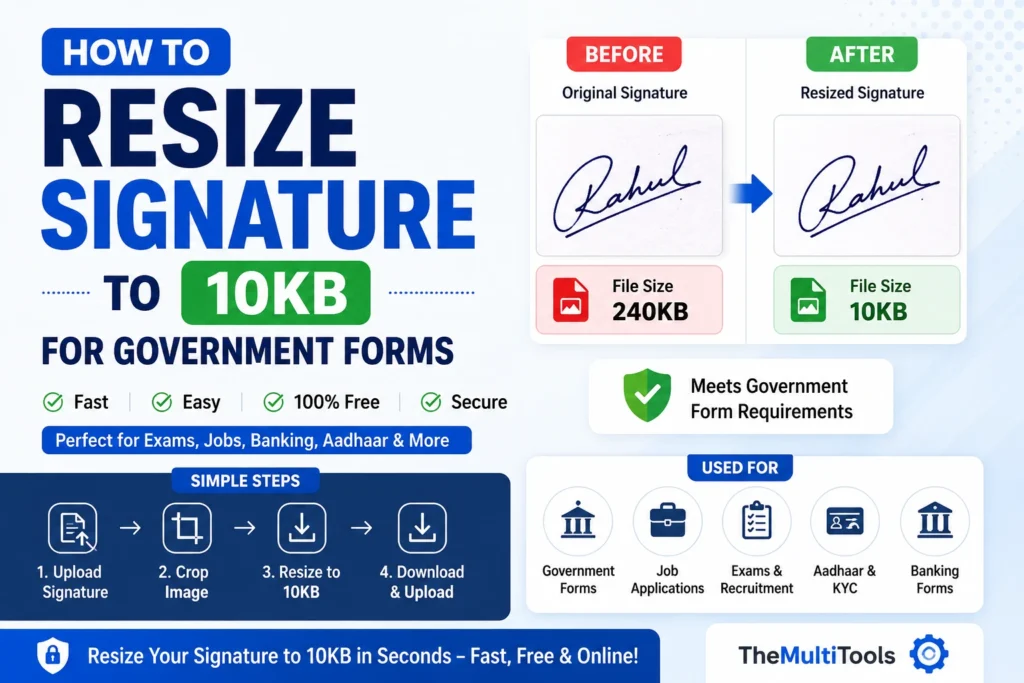
Many portals require applicants to upload a scanned signature below a specific file size limit. One of the most common requirements is to resize signature to 10KB.
Unfortunately, many users face upload errors because their signature image exceeds the allowed size or doesn’t meet the required dimensions.
In this guide, you’ll learn exactly how to resize signature to 10KB, avoid common mistakes, and prepare signatures that meet government portal requirements.
Why Do Government Forms Require Signatures Below 10KB?
Government websites process millions of applications every year.
To reduce storage requirements and improve portal performance, many websites impose strict signature upload limits.
Common requirements include:
- Signature below 10KB
- JPG or JPEG format
- Specific dimensions
- White background
- Clear handwritten signature
This is especially common for:
- SSC examinations
- UPSC applications
- Railway recruitment
- Banking recruitment
- Scholarship registrations
- State government applications
Understanding how to resize signature to 10KB helps avoid upload failures and application delays.
What Is the Ideal Signature Format?
Before resizing, make sure your signature follows these recommendations:
Signature Background
Use:
- White background
- Clean paper
- Dark blue or black ink
Avoid:
- Colored backgrounds
- Shadows
- Folded paper
- Watermarks
File Format
Most portals accept:
- JPG
- JPEG
Some portals may also accept PNG, but JPG is usually preferred.
Signature Dimensions
Many applications require:
- 140 × 60 pixels
- 200 × 80 pixels
- Custom dimensions specified in notifications
Always verify official instructions before uploading.
How to Resize Signature to 10KB
Follow these simple steps.
Step 1: Scan or Photograph Your Signature
Write your signature clearly on white paper.
Capture it using:
- Smartphone camera
- Scanner
- Document scanner app
Ensure:
- Good lighting
- Sharp image
- No shadows
Step 2: Crop the Signature
Remove unnecessary white space around the signature.
Only keep:
- Signature area
- Small margins
This reduces file size significantly.
Step 3: Resize Signature to 10KB
Use our free Signature Resize Tool:
This tool automatically reduces the file size while maintaining acceptable quality.
Step 4: Verify the Output
Before uploading:
Check:
- File size
- Dimensions
- Clarity
- Format
Then upload to the application portal.
Example
Suppose a recruitment portal requires:
- Signature below 10KB
- JPG format
- White background
You can:
- Scan your signature.
- Crop the image.
- Use Signature Resize to 10KB.
- Download the optimized file.
- Upload successfully.
This process takes less than a minute.
Common Applications Requiring 10KB Signatures
Many users need to resize signatures for:
Government Jobs
- SSC
- UPSC
- Railway Recruitment
- Police Recruitment
Banking Applications
- Clerk Recruitment
- PO Recruitment
- Financial Services Applications
Educational Applications
- Scholarships
- University Admissions
- Entrance Exams
Aadhaar and Verification Services
Some online verification portals require small signature uploads.
Common Mistakes to Avoid
Uploading Blurry Signatures
Poor-quality signatures may be rejected.
Always start with a clear image.
Using Colored Backgrounds
Most portals prefer white backgrounds.
Ignoring File Size Limits
Even if the signature looks correct, the upload may fail if the file size exceeds 10KB.
Cropping Too Tightly
Leave small margins around the signature.
Compressing Multiple Times
Repeated compression can reduce readability.
Government Form Signature Upload Tips
Before submitting your application:
✔ Verify dimensions
✔ Verify file size
✔ Use JPG format
✔ Ensure white background
✔ Keep signature readable
These small checks can prevent application rejection.
Official References
Always verify requirements through official portals:
UPSC:
https://upsc.gov.in/
National Scholarship Portal:
https://scholarships.gov.in/
Official instructions always take priority over general recommendations.
Related Tools
Frequently Asked Questions
How can I resize signature to 10KB online?
Upload your signature image to a signature compression tool, reduce the file size, and download the optimized version.
Is JPG better than PNG for signatures?
For most government forms, JPG is preferred because it produces smaller file sizes.
Can I resize signature to 10KB using my phone?
Yes. Most signature resizing tools work perfectly on Android and iPhone devices.
What is the ideal signature background?
A plain white background is recommended.
Why is my signature upload failing?
Common reasons include:
- File too large
- Wrong dimensions
- Unsupported format
- Poor image quality
Can I compress a signature without losing quality?
Yes. Modern image optimization tools maintain readability while reducing file size.
Final Thoughts
Knowing how to resize signature to 10KB is essential for government applications, banking recruitment, scholarship registrations, university admissions, Aadhaar services, and online verification portals.
Using a dedicated signature resizing tool helps ensure successful uploads while maintaining image quality.
Before submitting any application, always verify the signature dimensions, file format, and file size requirements mentioned in the official notification.