
AI Text To Speech Studio: Convert Text to Natural AI Voices Online
Have you ever wanted to turn written text into a realistic voice without spending hours recording audio yourself?
Whether you’re creating YouTube videos, podcasts, audiobooks, prayer recordings, educational lessons, or business presentations, AI Text To Speech technology can help you generate professional voiceovers in minutes.
Modern AI voices are no longer robotic and unnatural. Today’s AI voice generators can produce clear, human-like speech that sounds surprisingly realistic.
In this guide, you’ll learn how AI Text To Speech works, where it can be used, its benefits, common mistakes to avoid, and how you can create high-quality voiceovers instantly using our AI Text To Speech Studio.
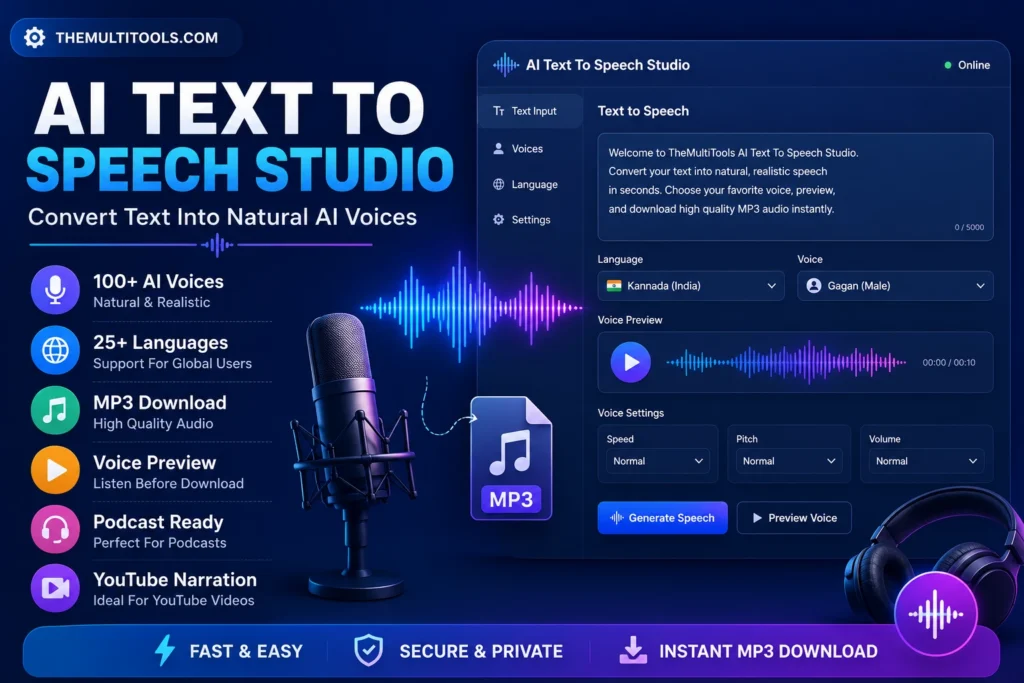
What Is AI Text To Speech?
AI Text To Speech (TTS) is a technology that converts written text into spoken audio using artificial intelligence.
Instead of hiring voice artists or recording audio manually, users simply enter text, select a voice, and generate speech instantly.
Modern AI speech engines can replicate natural pronunciation, emotions, pauses, and speaking styles, making them useful for both personal and professional projects.
Popular uses include:
- YouTube narration
- Podcast introductions
- Audiobooks
- Prayer recordings
- Educational content
- Social media voiceovers
- Business presentations
- Customer support audio
Why AI Text To Speech Is Becoming So Popular
Content creators today need faster ways to produce audio content.
Recording voiceovers manually often requires:
- A microphone
- A quiet room
- Editing software
- Multiple retakes
- Audio cleanup
AI Text To Speech removes most of these challenges.
With a few clicks, you can create high-quality audio and download it as an MP3 file.
This saves time, reduces production costs, and allows creators to focus on content rather than recording.
How AI Text To Speech Works
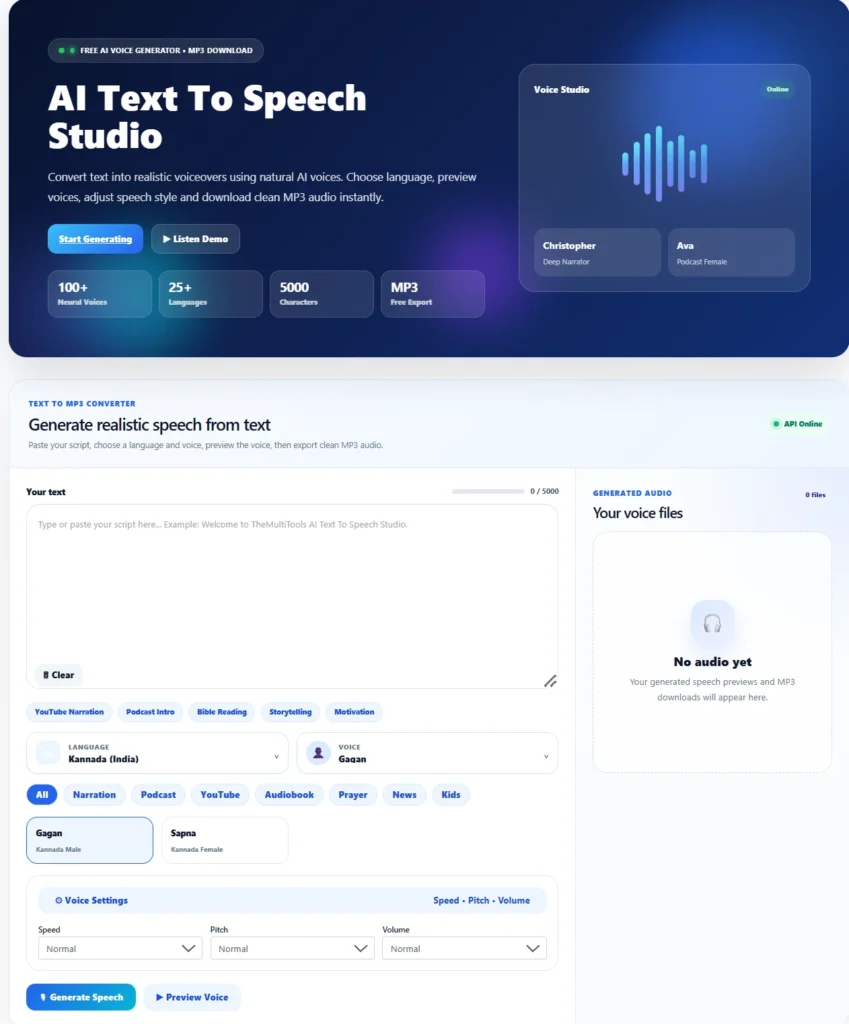
Step 1: Enter Your Text
Type or paste the content you want to convert into speech.
Examples:
- YouTube scripts
- Podcast introductions
- Audiobook chapters
- Bible readings
- Motivational quotes
- Training material
Step 2: Select a Language
Most modern AI voice generators support multiple languages.
Our AI Text To Speech Studio supports a growing collection of voices and language options.
This makes it useful for global audiences.
Step 3: Choose a Voice
Different projects require different voice styles.
You can choose:
- Male voices
- Female voices
- Narration voices
- Podcast voices
- Audiobook voices
- Prayer voices
- News-style voices
Selecting the right voice dramatically improves listener engagement.
Step 4: Preview the Voice
Before generating the final audio, preview the selected voice.
This helps ensure:
- Pronunciation is correct
- Tone sounds natural
- Voice matches your content style
Step 5: Generate and Download MP3
Once you’re satisfied, generate the speech and download the MP3 file.
The audio can then be used in:
- Videos
- Podcasts
- Presentations
- Mobile apps
- Websites
- Learning platforms
Best Uses for AI Text To Speech
YouTube Narration
Many YouTube creators use AI voices for:
- Tutorials
- Fact videos
- Storytelling channels
- Educational content
- Motivational videos
AI narration helps creators produce content consistently without recording every video manually.
Podcast Intros and Outros
Podcasters often use AI voices to create:
- Show introductions
- Episode announcements
- Sponsor messages
- Promotional content
This creates a more professional listening experience.
Audiobooks
AI voices can transform books, guides, and articles into audio versions.
This allows audiences to consume content while:
- Driving
- Exercising
- Traveling
- Working
Prayer and Bible Audio
Many churches and Christian content creators use AI narration to create:
- Daily devotionals
- Prayer recordings
- Bible readings
- Faith-based content
A calm narration voice can create an engaging listening experience.
Educational Content
Teachers and educators can convert lessons into audio formats.
Students benefit from listening while:
- Revising notes
- Preparing for exams
- Learning new languages
Social Media Voiceovers
AI Text To Speech is commonly used for:
- Instagram Reels
- YouTube Shorts
- Facebook Videos
- TikTok Content
Voiceovers help capture attention quickly.
AI Text To Speech vs Human Voice Recording
| Feature | AI Text To Speech | Human Recording |
|---|---|---|
| Speed | Very Fast | Time Consuming |
| Cost | Low | Higher |
| Editing | Easy | Requires Re-recording |
| Multiple Languages | Yes | Limited |
| Consistency | Excellent | Varies |
| Availability | 24/7 | Depends on Schedule |
Both approaches have advantages, but AI Text To Speech is ideal for fast content production.
Benefits of Using AI Text To Speech Studio
Saves Time
Generate voiceovers in minutes instead of hours.
No Recording Equipment Needed
No microphone or soundproof room required.
Consistent Voice Quality
Every recording maintains the same quality.
Multi-Language Support
Create content for audiences around the world.
Cost Effective
Reduce expenses associated with professional voice recording.
Easy MP3 Export
Download ready-to-use audio instantly.
Common Mistakes to Avoid
Choosing the Wrong Voice
A narration voice may not work well for energetic promotional content.
Match the voice style to your audience.
Using Long Paragraphs
Break large blocks of text into shorter sections.
This improves speech flow and listener engagement.
Ignoring Punctuation
Punctuation helps AI understand pauses and sentence structure.
Always proofread your text before generating speech.
Not Previewing Audio
Always preview before generating the final file.
This helps catch pronunciation issues early.
Overcomplicating the Script
Simple, natural writing often produces the best sounding AI voiceovers.
Write the way people naturally speak.
Who Can Benefit From AI Text To Speech?
AI Text To Speech is useful for:
- YouTubers
- Podcasters
- Churches
- Content creators
- Students
- Teachers
- Businesses
- Marketers
- Authors
- Freelancers
Anyone creating audio content can benefit from AI-generated voices.
Why Use Our AI Text To Speech Studio?
Our AI Text To Speech Studio is designed to be simple, fast, and user-friendly.
Features include:
✅ Natural AI Voices
✅ Multiple Languages
✅ Voice Preview
✅ MP3 Download
✅ Narration Voices
✅ Podcast Voices
✅ Audiobook Voices
✅ Prayer Audio Voices
✅ Browser-Based Tool
✅ No Complex Setup
Whether you’re creating YouTube content, audiobooks, educational material, or business presentations, our tool helps you generate professional voiceovers quickly.
Official Resources
Google Text To Speech
https://cloud.google.com/text-to-speech
Microsoft Azure Speech Services
https://azure.microsoft.com/en-us/products/ai-services/ai-speech
Speech Synthesis Overview
https://en.wikipedia.org/wiki/Speech_synthesis
Try AI Text To Speech Studio
Generate Natural AI Voices in Seconds
Convert text into realistic speech, preview voices, and download MP3 audio instantly using our AI Text To Speech Studio.
Open AI Text To Speech StudioRelated Tools
Frequently Asked Questions
Is AI Text To Speech free to use?
Yes. You can generate speech online without recording audio manually.
Can I download MP3 files?
Yes. Generated audio can be downloaded as MP3 files.
Does AI voice sound realistic?
Modern AI voices sound significantly more natural than traditional text-to-speech systems.
Can I use AI voices for YouTube videos?
Yes. Many creators use AI narration for YouTube content.
Can churches use AI narration?
Absolutely. AI narration is commonly used for Bible readings, prayer recordings, and devotionals.
Is AI Text To Speech useful for podcasts?
Yes. It can be used for intros, announcements, and narration.
Which industries use AI Text To Speech?
Education, media, marketing, publishing, ecommerce, customer support, and content creation.
Do I need special software?
No. Everything works directly in your browser.
Final Thoughts
AI Text To Speech technology has transformed how creators produce audio content.
Instead of spending hours recording and editing voiceovers, you can generate professional speech in minutes.
Whether you’re building a YouTube channel, creating audiobooks, recording prayer content, producing podcasts, or creating educational resources, AI Text To Speech can help you work faster and scale your content production efficiently.
Author
Josh
Founder of TheMultiTools. Passionate about building practical online tools that help creators, businesses, students, and professionals save time and work smarter.