
Internet Speed Test Online: Check Download, Upload, Ping & Jitter
If your videos keep buffering, games feel laggy, downloads are slow, or video calls keep freezing, running an internet speed test online is the fastest way to understand what is happening with your connection.
Many people only look at download speed, but a proper internet speed test should also check upload speed, ping, jitter, latency, and connection stability.
In this guide, you’ll learn what internet speed test results mean, how to test your connection correctly, what speed you need for different activities, and how to use our free Internet Speed Test tool to check your network performance.
What Is an Internet Speed Test Online?
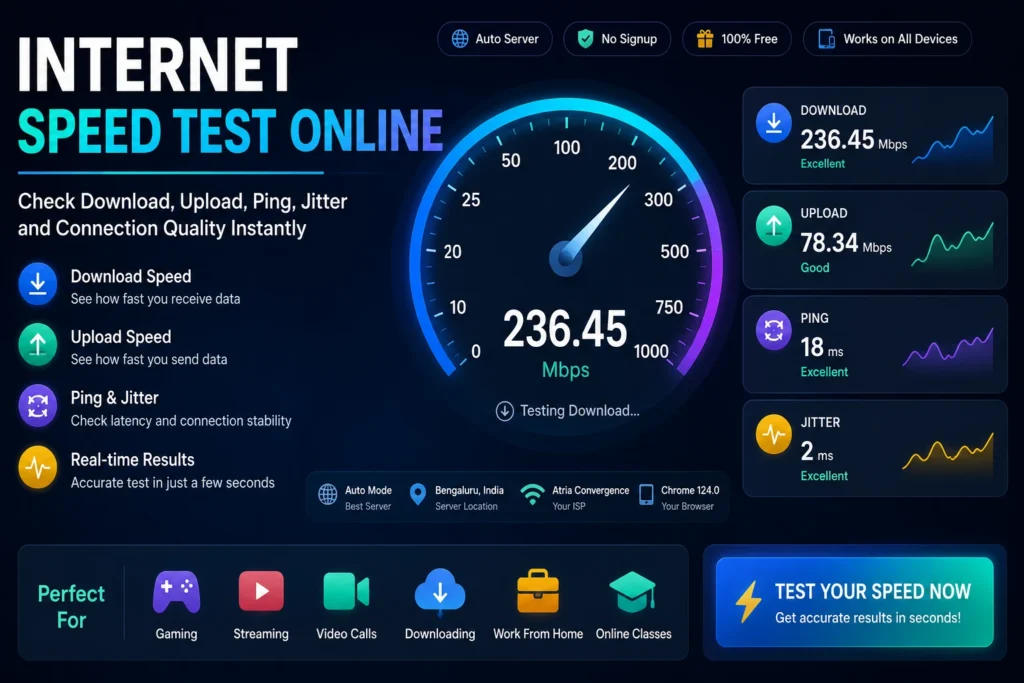
An internet speed test online is a browser-based tool that measures how fast data travels between your device and a test server.
A good speed test usually checks:
- Download speed
- Upload speed
- Ping
- Jitter
- Connection stability
- Usage recommendations
These results help you understand whether your internet connection is suitable for streaming, gaming, video calls, browsing, downloads, uploads, and remote work.
Why Internet Speed Testing Is Important
Internet problems are not always caused by your service provider.
Sometimes the issue may be:
- Weak Wi-Fi signal
- Router placement
- Network congestion
- Background downloads
- Old devices
- VPN slowdown
- Too many users on the same network
Running an internet speed test online helps you identify whether the problem is with your connection, router, device, or usage environment.
How to Run an Internet Speed Test Online
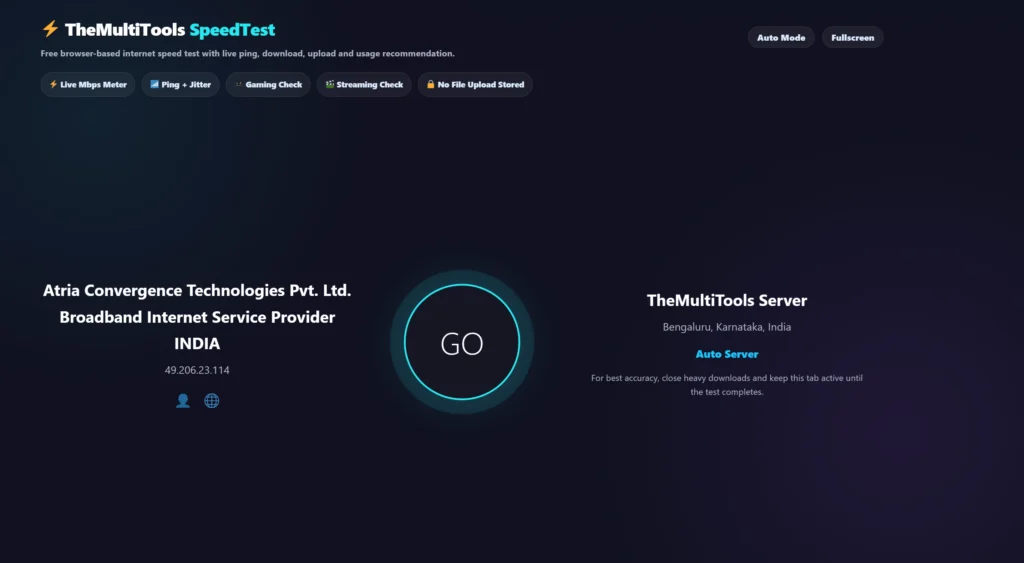
Step 1: Open the Speed Test Tool
Use our free tool:
Internet Speed Test Online
https://themultitools.com/internet-speed-test-online/
Step 2: Close Heavy Apps
Before testing, close:
- Video streaming apps
- Large downloads
- Cloud backups
- Game updates
- VPN apps if not needed
This gives more accurate results.
Step 3: Start the Test
Click the test button and wait until the test completes.
The tool will measure your connection performance and show key results.
Step 4: Review Download Speed
Download speed tells you how fast data comes from the internet to your device.
It affects:
- Video streaming
- Website loading
- File downloads
- Online learning
- Browsing speed
Step 5: Review Upload Speed
Upload speed tells you how fast data goes from your device to the internet.
It affects:
- Video calls
- File uploads
- Cloud backups
- Live streaming
- Sending large attachments
Step 6: Check Ping and Jitter
Ping and jitter are very important for real-time activities.
They affect:
- Online gaming
- Video meetings
- Voice calls
- Live streaming
- Remote desktop work
Low ping and stable jitter usually mean smoother real-time performance.
What Is Download Speed?
Download speed measures how fast your device receives data from the internet.
It is usually measured in Mbps.
Higher download speed helps with:
- Watching YouTube
- Streaming Netflix
- Downloading files
- Loading websites
- Using online apps
For normal browsing and HD streaming, moderate download speeds are usually enough. For 4K streaming, large downloads, and multiple users, higher speeds are better.
What Is Upload Speed?
Upload speed measures how fast your device sends data to the internet.
Upload speed matters when you:
- Upload videos
- Send large files
- Join video calls
- Stream live content
- Backup files to cloud storage
Many internet plans provide higher download speed than upload speed, so checking upload speed is important.
What Is Ping?
Ping measures the delay between your device and a server.
Lower ping is better.
Ping is especially important for:
- Online gaming
- Video calls
- Voice chats
- Remote work
- Live streaming
A high ping can make games feel delayed and video calls feel unstable.
What Is Jitter?
Jitter measures variation in ping.
Even if your ping is low, high jitter can cause unstable performance.
High jitter may result in:
- Choppy video calls
- Voice call distortion
- Gaming lag spikes
- Streaming interruptions
A stable connection should have low jitter.
Good Internet Speed for Different Activities
Basic Browsing
For browsing, email, and simple searches, even moderate speed is usually enough.
YouTube and Streaming
HD streaming needs stable download speed.
4K streaming requires higher speed and better stability.
Online Gaming
Gaming depends more on ping and jitter than download speed.
Low latency is more important than very high Mbps.
Video Calls
Video calls need both download and upload stability.
Poor upload speed can make your video freeze or blur.
Work From Home
Remote work requires stable internet for video calls, file sharing, and cloud tools.
Internet Speed Test for Gaming
Gamers should check:
- Ping
- Jitter
- Packet stability
- Download speed
- Upload speed
For gaming, a very high download speed is not always enough. A stable low-latency connection gives a better gaming experience.
If your ping keeps changing, you may experience lag even with a fast internet plan.
Internet Speed Test for Streaming
Streaming performance depends on:
- Download speed
- Connection stability
- Network congestion
- Device performance
If videos buffer frequently, test your connection and check whether other devices are using bandwidth in the background.
Common Reasons for Slow Internet
Poor Wi-Fi Signal
If your router is far away, speed can drop.
Too Many Connected Devices
Multiple phones, TVs, laptops, and smart devices can reduce available bandwidth.
Background Downloads
Automatic updates and cloud backups can slow down your connection.
Router Issues
Old routers may not support higher speeds properly.
Peak Hour Congestion
Internet may slow down during evening hours when more people are online.
How to Improve Internet Speed
Try these steps:
- Restart your router
- Move closer to Wi-Fi
- Use 5GHz Wi-Fi if available
- Disconnect unused devices
- Close background downloads
- Use Ethernet for gaming or work
- Update router firmware
- Contact your ISP if speeds remain low
Testing before and after these steps helps you understand what improved.
Why Use TheMultiTools Internet Speed Test?
Our Internet Speed Test is built to be simple and browser-friendly.
You can use it to check:
- Download speed
- Upload speed
- Ping
- Jitter
- Gaming suitability
- Streaming suitability
- Usage recommendations
It works directly in your browser without needing software installation.
Official Internet Resources
You can learn more about internet performance and web networking from these official resources:
FCC Broadband Speed Guide
https://www.fcc.gov/consumers/guides/broadband-speed-guide
Cloudflare Learning Center – Latency
https://www.cloudflare.com/learning/performance/glossary/what-is-latency
MDN Web Docs – Network Information API
https://developer.mozilla.org/en-US/docs/Web/API/Network_Information_API
Try Our Internet Speed Test Tool
⚡ Test Your Internet Speed Right Now
Wondering why your videos buffer, games lag, or downloads feel slow? Run a free Internet Speed Test to instantly check your download speed, upload speed, ping, jitter, gaming performance, and streaming quality.
No signup. No software installation. Results in seconds.
🚀 Start Free Speed TestRelated Tools
Frequently Asked Questions
What is an internet speed test online?
An internet speed test online measures your download speed, upload speed, ping, jitter, and connection performance using your browser.
What is a good download speed?
A good download speed depends on your usage. Browsing needs less speed, while 4K streaming, large downloads, and multiple users need higher speed.
What is a good upload speed?
A good upload speed is important for video calls, file uploads, live streaming, cloud backups, and online meetings.
Why is my internet speed lower than my plan?
Your speed may be affected by Wi-Fi distance, router quality, network congestion, background apps, VPN usage, or too many connected devices.
Is ping important for gaming?
Yes. Ping is very important for gaming. Lower ping usually means faster response time and smoother gameplay.
What is jitter in internet speed test?
Jitter measures how much your ping changes during a connection. Lower jitter means a more stable connection.
Should I test speed on Wi-Fi or Ethernet?
For the most accurate result, Ethernet is better. Wi-Fi results depend on signal strength, router placement, and interference.
Can I use this speed test on mobile?
Yes. You can run the internet speed test online from mobile, tablet, laptop, or desktop browser.
Final Thoughts
Running an internet speed test online is one of the easiest ways to understand your connection quality.
Download speed matters for streaming and browsing. Upload speed matters for video calls and file sharing. Ping and jitter matter for gaming, meetings, and real-time communication.
Before blaming your internet provider, test your connection properly, close background apps, check Wi-Fi strength, and compare results across devices.
Use our free Internet Speed Test tool whenever you want to check your connection speed, stability, gaming readiness, or streaming performance.
Check Your Connection Before Calling Your ISP
A quick speed test can reveal whether the issue is your internet provider, Wi-Fi signal, router placement, or network congestion.
📶 Run Internet Speed Test